Skip to content
navd88 Live / Mobile
LIVE LOBBY

navd88 — Live Tables, Slots and Cricket Betting for Bangladesh

Your account wallet, payment routes via Nagad, Upay and Bank Transfer, and the full game lobby are all in one place. Access is subject to your local law and eligible regions — open your account to see the steps confirmed on screen.

bKash Nagad Rocket
Browse games
CONTENT / 01

Crash Zone, Baccarat Fire and More From the Catalogue

A few titles that account holders open regularly from the navd88 home screen: Crash Zone is a crash-style game with a single rising multiplier mechanic — the amount won is added straight to your wallet when you cash out before the round ends. Baccarat Fire is a live-streamed baccarat table with standard baccarat rules and a fire-themed presentation; it sits in the live casino section and loads directly from your account session.

  • Crash Zone

  • Baccarat Fire

  • Roulette Luckspin

  • Football StrikeZone

ACCOUNT CARE SIGNALS

Why We Built navd88 Around Account Control

Account control is not a feature added on top — it is the foundation of how navd88 is shaped. Every time you log in, your wallet balance, transaction record and payment route are visible before you reach any game. We made payment confirmation readable at a glance: Nagad transfers, Upay transactions and Bank Transfer entries all appear in your statement with timestamps you can check yourself. Support is reachable from within your account panel, not hidden behind a separate contact form.

  • Wallet Visibility

    Your account balance and full transaction history are shown immediately after login. Nagad, Upay and Bank Transfer entries each carry their own status line so you know exactly where a transfer stands. You do not need to refresh or navigate away — the wallet state is live in your dashboard and updates as transactions clear through the payment rail you used.

  • Support Access

    The help channel is reachable directly from your account panel — no separate URL, no external form to hunt for. If a Nagad deposit shows pending or a Bank Transfer entry needs clarification, the support route is one tap from the same screen where you spotted the issue. Response handling follows the queue shown inside the panel at the time you contact us.

  • Verified Payment Routes

    We confirm payment method availability in your account settings before you initiate any transaction. Nagad, Upay and Bank Transfer are the verified routes for supported Bangladesh accounts. The limits, fields and verification steps for each method are displayed inside the deposit or withdrawal flow — we do not publish figures outside the live account environment where they can be confirmed in real time.

  • Device Continuity

    Your session, wallet and game history carry across devices. Start a review of your Bank Transfer statement on desktop, then continue on your phone without losing your place. The account panel is designed so that control functions — balance, history, support link — remain reachable at every screen size, keeping the same layout logic rather than hiding options behind collapsed menus.

HELP WHEN YOU NEED IT

Account Support Routes Inside navd88

Support at navd88 is structured around the account, not around a generic helpdesk. If you have a question about a Nagad transaction, a Upay transfer that is showing a pending status, or a Bank Transfer entry that does not match your expected amount, the relevant detail is already in your transaction log — and support can see the same record when you raise a query.

  • Live Chat

    Live chat is available from inside your logged-in account panel. Use it for time-sensitive questions — a Nagad deposit that has not appeared in your wallet, a Upay transfer you want to confirm before the session closes, or an account access issue. The chat window opens on the same screen as your wallet so you can reference your transaction detail without switching tabs or copying reference numbers manually.

  • Ticket System

    For payment disputes — particularly Bank Transfer queries that involve reference numbers and bank confirmation slips — the ticket system creates a documented thread. Each ticket is tied to your account ID, so the support team can cross-reference your transaction log directly. You can attach screenshots of your Nagad or Bank Transfer confirmation screen within the ticket to speed up the review process.

  • Dashboard FAQ

    The self-service section in your account dashboard covers the account steps we hear about most often: how to update your Nagad wallet number, how to read a Bank Transfer status entry, and how to locate the withdrawal confirmation sent after a transaction completes. Each answer links directly to the relevant setting screen inside your account so you act on the answer without navigating separately.

HOME PAGE ON YOUR PHONE

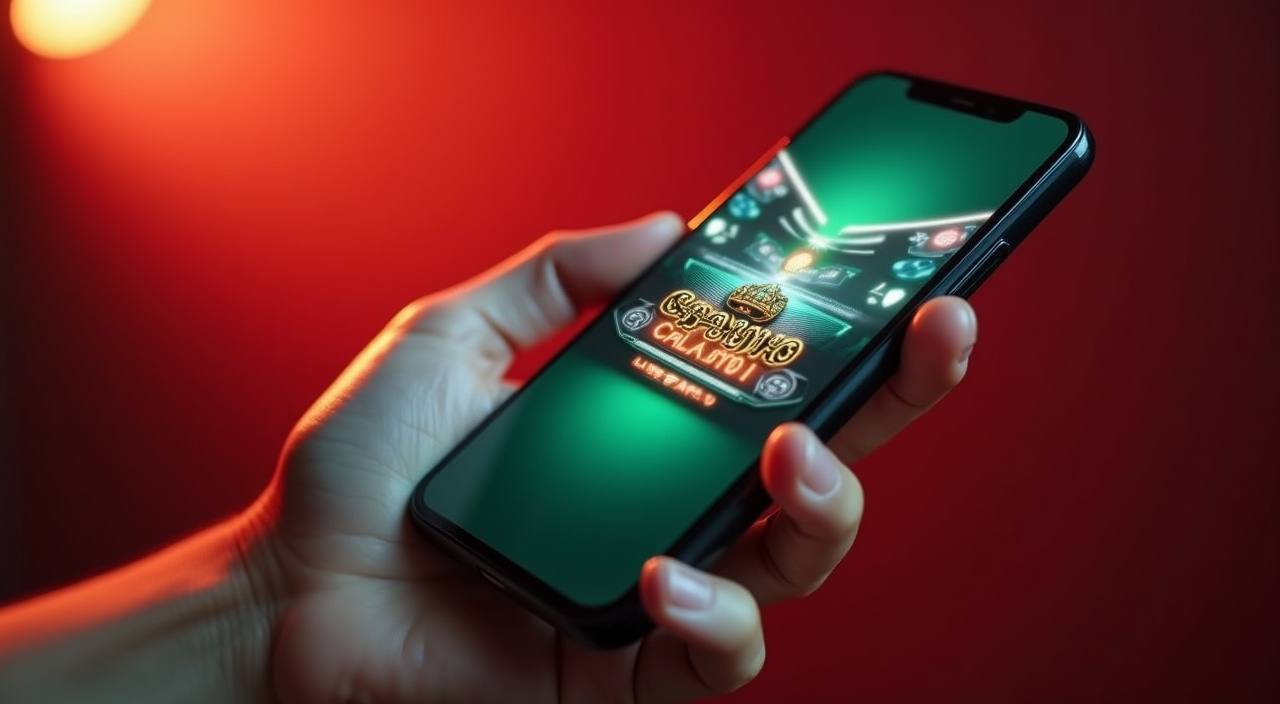
The navd88 Home Screen Fits Any Device You Use

This is not a stripped-down version of the home screen; the same account controls and support link are present. Crash Zone and Roulette Luckspin render at full playable size on current mid-range handsets. If your connection is on a slower network, the lobby tiles load progressively so the account panel and wallet are usable before the game images finish rendering.

  • The navd88 Home Screen Fits Any Device You Use

    The navd88 home page on a mobile screen keeps the same layout logic as the desktop version — account panel, wallet summary and the game lobby entrance are all reachable without pinching or zooming.

  • Your Nagad or Upay wallet details sit at the top of the account panel ex

    Your Nagad or Upay wallet details sit at the top of the account panel exactly where they appear on a wider screen, so checking a transaction status during the day takes the same number of taps regardless of where you are.

  • The game lobby — slots from PG Soft and JDB, live tables, and the cricke

    The game lobby — slots from PG Soft and JDB, live tables, and the cricket betting section — loads in a horizontal swipe rail on smaller screens, letting you move through categories without the page reflowing.

CONTENT / 03

The navd88 Home Screen Fits Any Device You Use

This is not a stripped-down version of the home screen; the same account controls and support link are present. Crash Zone and Roulette Luckspin render at full playable size on current mid-range handsets. If your connection is on a slower network, the lobby tiles load progressively so the account panel and wallet are usable before the game images finish rendering.

  • The navd88 Home Screen Fits Any Device You Use

    The navd88 home page on a mobile screen keeps the same layout logic as the desktop version — account panel, wallet summary and the game lobby entrance are all reachable without pinching or zooming.

  • Your Nagad or Upay wallet details sit at the top of the account panel ex

    Your Nagad or Upay wallet details sit at the top of the account panel exactly where they appear on a wider screen, so checking a transaction status during the day takes the same number of taps regardless of where you are.

  • The game lobby — slots from PG Soft and JDB, live tables, and the cricke

    The game lobby — slots from PG Soft and JDB, live tables, and the cricket betting section — loads in a horizontal swipe rail on smaller screens, letting you move through categories without the page reflowing.

YOUR ACCOUNT PATH

Getting Started: Account to Lobby in Clear Steps

Opening an account at navd88 follows a short, clearly labelled flow. Each step shows exactly what field you are completing and why — there are no hidden stages added after you begin. Step one is the registration form: your mobile number, a password and the country field set to Bangladesh.

  1. Create Account

    Fill the registration form with your mobile number and Bangladesh as your region.

  2. Link Your Wallet

    Connect Nagad, Upay or Bank Transfer — enter the details shown in your account settings.

  3. Fund Your Account

    Make your first deposit through the linked payment method; watch the wallet update on screen.

  4. Enter the Lobby

    The full catalogue — slots, live tables, cricket betting — opens from the home screen.

MEMBER DESK / 06

Offers, support and account controls

01

Game lobby

02

Payment guide

03

Support

LOCAL PAYMENTS

Nagad, Upay and Bank Transfer — Confirmed for Your Account

We have verified three payment routes for supported Bangladesh accounts: Nagad, Upay and Bank Transfer. Each route is available inside your account wallet after login — the current status, limits and required fields are shown in the deposit and withdrawal screens, not in a static public list that might be out of date. Nagad is the route most frequently used for mobile-first deposits; the transfer uses your registered Nagad number and the reference shown in the account flow. Upay follows a similar mobile wallet process.

  • Nagad

    Nagad is a widely used mobile financial service in Bangladesh and one of the verified deposit routes at navd88. Your Nagad number must match the one registered to your navd88 account. The transfer reference is generated in the deposit screen — copy it exactly into the Nagad app to link the transaction to your wallet. Status updates appear in your transaction log after the transfer is processed.

  • Upay

    Upay is available as a verified wallet route for eligible accounts. The deposit flow prompts you to enter your Upay number and the transaction amount, then provides the reference you enter on the Upay side. Keep the reference until the wallet credit appears in your dashboard — if there is a delay, the ticket support system accepts Upay confirmation screenshots as evidence for the support team to cross-check.

  • Bank Transfer

    Bank Transfer is the preferred route for account holders who want a formal bank record of each transaction. The receiving account detail and your unique per-transaction reference are generated inside the withdrawal or deposit screen. Use only the reference shown — generic references may cause matching delays. After the transfer is sent, upload your bank confirmation slip in the ticket system if the credit does not appear within the timeframe shown on screen.

Banking
FEATURE BRIEF / 05

Slots, Live Tables and Cricket Betting in One Lobby

The navd88 lobby is organised so you move between game categories without leaving the home screen. Slots from PG Soft and JDB sit in a horizontal rail — titles like Crash Zone and Roulette Luckspin load directly from the category card. Live casino tables, including Baccarat Fire, stream from the lobby without a separate login step; your account session carries through.

Game feature guide
  • Slots

    PG Soft, JDB and Joker supply the slot catalogue. Crash Zone is one of the crash-style titles available in this section; Roulette Luckspin sits at the table-game boundary with its own spin mechanics. Navigate to the slot rail from the home screen — categories filter by provider so you can move directly to PG Soft titles or browse the full JDB range without scrolling past unrelated content.

  • Live Casino

    Baccarat Fire is available in the live casino section — a streamed table game with real-time dealing. Your account session is continuous so switching from slots to the live table does not require a second login. The live lobby shows current table availability; Bigtime Gaming and PlayStar also contribute to the live and table sections. Table limits are displayed on the table tile before you enter.

  • Cricket Betting

    Cricket is the category we foreground in the sportsbook because it is what Bangladesh account holders follow most closely. International matches, IPL and BPL fixtures appear in the sportsbook tab when they are scheduled. Football StrikeZone is also available for those who follow football markets. We do not fabricate odds or fixture details — the markets shown are live data, and what is visible in the sportsbook is what is currently available.

DISCOVER / 01

Choose your game

Full lobby
GAME NETWORK
JDB
Joker
PG Soft
Bigtime Gaming
PlayStar
CONTENT / 04

navd88 lobby studios

The navd88 lobby carries content from JDB, Joker, PG Soft, Bigtime Gaming, PlayStar. To check the studio, rules or features of one specific game, open that game card or the published information panel.

  • JDB

  • Joker

  • PG Soft

  • Bigtime Gaming

  • PlayStar

ACCOUNT gameplay STATUS

Check Your Account Dashboard for What Is Running

Any activity tied to your navd88 account — including account-level gameplay, milestone credits or wallet adjustments — is shown in your account dashboard after login. We do not publish a schedule for when these change, because the state shown in your dashboard is the current and accurate one for your specific account tier. This approach means you are always reading live information rather than a static page that may not reflect your account's actual standing.

Login
PLAYER INDEX / 07

What Key Game Terms Mean at navd88

Some terms that appear in the navd88 lobby or game interfaces carry specific meanings. We have collected the ones account holders ask about most so you know what to expect before you enter a title.

Player guide and glossary
  • What is a bonus round in a slot game?

    A bonus round is a special stage triggered within a slot title when a specific symbol combination lands on the reels. During a bonus round the game may apply different mechanics — additional reel positions, multiplier values or a prize-pick screen — depending on what the studio has built into that title. The amount won during a bonus round is added to your account wallet when the round concludes. Bonus round mechanics vary by title; the game itself describes its own rules in the paytable.

  • What does RTP mean and where do I find it?

    RTP stands for Return to Player and represents the theoretical percentage of total wagers a game returns over a large number of rounds. It is a statistical property of the game set by the studio, not a guarantee of individual session results. At navd88, RTP is displayed only where the game or studio exposes this figure inside the game interface or paytable. We do not publish estimated or approximated RTP figures for titles where this data is not provided by the studio.

  • What is a jackpot in a slot title?

    A jackpot is the top prize available in a specific slot title, awarded when the combination rules defined by the studio are met. It is a game-mechanic term, not a promise about frequency or minimum value. The prize amount and trigger conditions are set by the studio — JDB, PG Soft, Joker, Bigtime Gaming or PlayStar, depending on the title. When a jackpot prize is won, the amount is credited straight to your navd88 account wallet.

  • What are slot feature spins?

    Slot feature spins are spin rounds triggered by the game's own mechanics — usually by landing scatter symbols or completing a bonus-entry condition defined in the paytable. They are a standard game feature built into many PG Soft and JDB titles. During feature spins, the game may apply changed reel layouts, symbol multipliers or other mechanics as specified by the studio. Winnings from feature spins are calculated by the game engine and credited to your wallet at the end of the feature.

  • What is a crash game and how does Crash Zone work?

    A crash game is a round-based title where a multiplier value rises from 1x upward and can stop at any point. In Crash Zone, you set a wager and choose when to cash out before the multiplier stops — or set an automatic cash-out level in advance. The amount won equals your wager multiplied by the value at the moment you cash out.

  • What does wallet mean in my navd88 account?

    Your navd88 wallet is the internal balance held in your account. Deposits from Nagad, Upay or Bank Transfer are credited here once the transaction clears. Wagers are deducted from this balance, and amounts won are added back to it. The wallet balance is visible at the top of your account panel after login. Withdrawals move funds from your wallet balance back to your linked payment method — the amount and status of each withdrawal are shown in your transaction history.

  • What is a live casino table?

    A live casino table is a real-time streamed game where a human dealer runs the session on camera. Baccarat Fire in the navd88 lobby is an example — standard baccarat rules apply, with the dealing visible on screen. You place your wager through the game interface within the betting window shown on screen. Results follow the rules of the table game being streamed. Your account session carries directly into the live table so no second login is needed when you enter from the lobby.

Full glossary
EXPLORE FURTHER / 04

Explore detailed guides

Local lobby check

LOBBY / 02

One mobile lobby, distinct game areas

Baccarat Fire Live Baccarat Fire Access → Bank Transfer QuickPay Slots Bank Transfer QuickPay Access → Football StrikeZone Sports Football StrikeZone Access → Crash Zone Slots Crash Zone Access → Roulette Luckspin Live Roulette Luckspin Access → Bank Transfer Fastpay Slots Bank Transfer Fastpay Access →
QUICK ANSWERS

Frequently asked questions

The questions below cover account setup, payment routes and lobby navigation — the things account holders ask us about most through the support channel. If your question is not covered here, the live chat or ticket system in your account panel is the fastest route to a direct answer.

Read FAQ →
How do I link Nagad to my navd88 account?

After login, go to the wallet or payment section in your account settings. Select Nagad as your payment method, then enter the Nagad mobile number registered to your Nagad account. The verification step — which may involve a confirmation code sent to that number — is described on screen at the time you complete the linking. Follow the fields exactly as shown. Once linked, your Nagad number appears in your deposit and withdrawal screens as the active method for that payment rail.

What happens if my Upay deposit shows as pending?

A pending status means the transaction has been received by the payment system but has not yet been matched to your account wallet. Check that the reference number you entered on the Upay side matches the one generated in your navd88 deposit screen exactly — a mismatch is the most common cause of a delayed match.

Can I use Bank Transfer for withdrawals?

Yes. Bank Transfer is available as a withdrawal route for eligible accounts. In the withdrawal screen, the receiving bank account details and your unique per-transaction reference are generated — use only this reference when you initiate the bank transfer on your side. After sending, upload your bank confirmation slip in the support ticket system if the credit to your bank account does not appear within the timeframe shown on screen. Withdrawal availability and limits depend on your account verification level, which is shown in your account settings.

How do I access the cricket betting section?

The cricket betting section is inside the sportsbook tab on the navd88 home screen. Select Sportsbook from the lobby navigation, then choose Cricket from the category list. Available markets — covering international matches, IPL and BPL fixtures — are listed there when events are scheduled. The sportsbook displays live data; the markets you see are the ones currently active. Football StrikeZone and other sports categories are accessible from the same tab. Your account session is active throughout, so no separate login is needed.

Which game studios supply content to the navd88 lobby?

The studios confirmed to supply game content to the navd88 lobby are JDB, Joker, PG Soft, Bigtime Gaming and PlayStar. These studios provide slot titles, live dealer tables and table games. Your account, payment processing and support functions are separate from studio content — the studios supply the game titles only. If you want to browse by studio, the filter rail in the lobby organises titles by provider so you can navigate directly to a specific studio's catalogue.

How do I find my transaction history?

Your full transaction history is in the wallet or account section after login. Each entry shows the payment method used — Nagad, Upay or Bank Transfer — the amount, the reference number and the current status of that transaction. Deposits and withdrawals appear in the same log so you have a single view of all account money movement.

What should I do if I cannot access my navd88 account?

Try the password reset flow on the login screen first — it sends a verification step to the mobile number registered to your account. If the mobile number has changed or the reset does not arrive, contact support through the live chat link on the login page. Provide your registered mobile number and the account email if you used one during registration.

Does navd88 work on my mobile phone without an app?

The navd88 home screen, account panel, wallet and game lobby all function through your phone's browser without a separate application. The layout adjusts to your screen size — the account controls, payment section and game rail are accessible at any screen width. Crash Zone, Baccarat Fire and Roulette Luckspin load at playable size on current mid-range handsets. Your account session remains active as you move between the lobby, wallet and support sections within the same browser tab. Availability is subject to your local law and eligible regions.

READY WHEN YOU ARE

navd88 game lobby

Access may be available only where local law permits.

Register Login